BenQ Projector Repair Specialists
Restoring Clarity to DLP, Laser & LED Systems
Wells Electronics provides expert engineering for the full BenQ range. From resolving the classic DMD "white dot" failure to diagnosing complex BlueCore laser thermal shutdowns, we restore your equipment to factory specification using evidence-led diagnostics.
Supported Platforms: W-Series (CineHome), LU/LK (Laser Install), MX/MW (Education), X-Series (Gaming).
Troubleshooting & Services
BenQ Error Codes: Deciphering the Blink Patterns
BenQ projectors communicate failures through specific LED combinations (Power, Temp, Lamp). Understanding these patterns is the first step to accurate diagnosis. Note that safety interlocks can trigger "Lamp" errors even if the lamp is new.
Cooling System / Fan Seizure
A critical cooling fan is either spinning below the target RPM or has stopped entirely.
Lamp Ignition Fail
The ballast attempted to strike the lamp 3 times but failed to establish an arc.
System Protect
Critical hardware failure detected on boot (e.g., colour wheel index sensor or thermal sensor open-circuit).
Boot Loop
Mainboard is attempting to boot but detecting a short circuit on a power rail.
DLP & DMD: The "White Dot" Phenomenon
Most BenQ projectors use Texas Instruments' DLP (Digital Light Processing) technology. The core component is the DMD (Digital Micromirror Device) chip, which contains millions of microscopic mirrors.
Diagnosing DMD Failure
The classic symptom of a failing DMD is the appearance of white or black "dead pixels" on the screen. This is a mechanical failure of the micro-hinges that hold the mirrors.
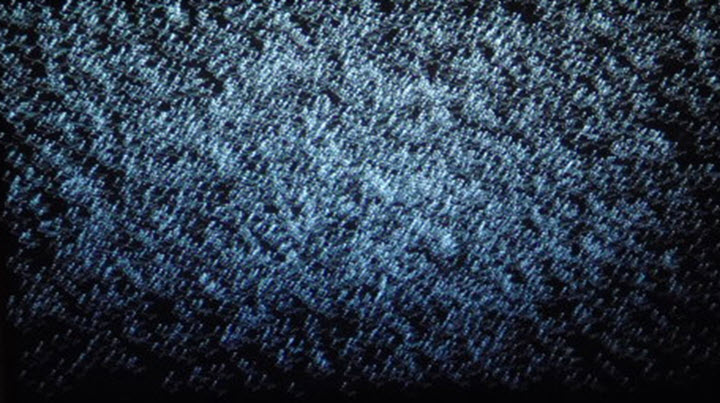
- Symptom: "Starfield" effect; white dots that look like snow, starting as a few and multiplying over weeks.
- Cause: Thermal stress or age causing mirrors to stick in the "On" position.
- Solution: The DMD chip cannot be repaired; it must be replaced. We also replace the thermal interface pad to ensure the new chip remains cool.
Colour Wheel Noise
In single-chip DLP projectors, colour is created by a spinning wheel (7200+ RPM). A high-pitched whining or grinding noise indicates the air-bearings are failing. If the wheel shatters, it destroys the light tunnel.
BlueCore Laser & 4LED Diagnostics
BenQ's move to solid-state illumination (Laser and LED) removes the lamp but introduces new complexity. Failures here are often electronic rather than consumable.
BlueCore Laser (LU/LK Series)
Common Fault: Dimming or Colour Shift. This is often caused by the Phosphor Wheel degrading. The yellow phosphor track wears out, shifting the white point to blue. We replace the wheel assembly and recalibrate.
> PHOSPHOR_INDEX: UNSTABLE
> ACTION: WHEEL_SERVICE
4LED (X-Series / Gaming)
Common Fault: "No Power" or Instant Shutdown. LED drivers generate immense heat. If the thermal paste on the LED modules dries out, the thermal sensors trip instantly. We perform a full thermal paste renewal service.
Power Supply & Mainboard Repair
When a projector is "dead," it is rarely a total write-off. We repair the specific circuit boards rather than just swapping them, reducing cost and e-waste.
Ballast Unit
The high-voltage driver for the lamp. If you hear a "ticking" sound but no light, the ignition coil has likely failed. We rebuild ballasts using high-grade components.
Power Supply (PSU)
Responsible for converting mains AC to stable DC voltages. Dried electrolytic capacitors cause "ripple" which crashes the mainboard processor.
HDMI / Mainboard
HDMI ports are vulnerable to static shock (ESD) or physical damage. We replace surface-mount HDMI ports and ESD protection chips to restore signal.
Our Repair Process
From initial triage to final soak testing, our workflow is designed to provide transparency and reliability.
- 1. Intake & Triage: We log the model and reported fault. You receive a free shipping label.
- 2. Root Cause Diagnostics: We strip the unit and use oscilloscopes and thermal cameras to identify the failing component (not just the symptom).
- 3. Quote & Approval: You get a fixed-price quote. If you choose not to proceed, we return the unit free of charge.
- 4. Remediation & Clean: We repair the fault and perform a full optical clean to remove dust blobs and haze.
- 5. Soak Test: The unit is run for 4+ hours to verify thermal stability before return.
Expert Repair for Every BenQ Model
From the classroom to the home cinema, we keep BenQ projectors running. Book a free, insured collection today for a no-obligation assessment.
UK Engineering Centre
Unit 9, West Moor Park, Yorkshire Way
Doncaster, DN3 3GW
+44 333 006 4327
EU/Ireland Engineering Centre
Unit 7b, Universal Business Park
Bluebell, Dublin, D12 DHY5
+353 1 582 7344